The Quiet Revolution of Digital Note Taking Paper in a Hybrid World
Something curious happens when pen meets paper, even when that paper is no longer entirely physical. The friction of graphite on a textured surface, the spatial freedom to doodle in margins, the subtle pressure that shapes a letterform — these sensations anchor thinking in ways a glass screen alone cannot replicate. Digital note taking paper inhabits this precise intersection, offering templates and structured layouts that honor the analog experience while unlocking the organizational power of digital tools. It is not merely a compromise between two worlds; it is a deliberate design choice that respects how the human brain encodes information through movement and spatial memory.
Professionals, educators, researchers, and hobbyists are increasingly drawn to these hybrid solutions. The appeal lies not in gadgetry but in reclaiming focus. A well-designed note taking template removes decision fatigue, presenting a clean framework where ideas can land without friction. Whether printed and filled by hand or imported into a tablet app for stylus annotation, the underlying principle remains consistent: structure liberates creativity rather than constraining it.
Templates That Shape Thinking Before a Single Word Is Written
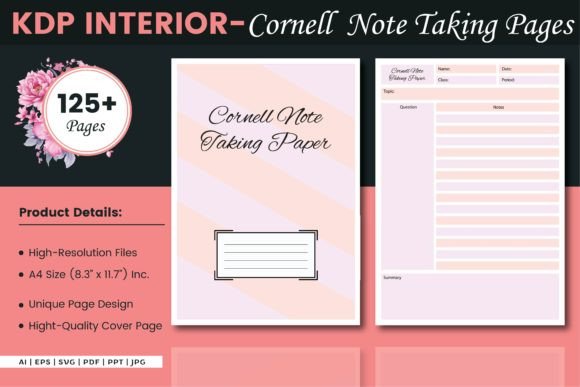
Consider the quiet influence of a page layout. A blank sheet intimidates; a thoughtfully ruled sheet invites. The pre-structured nature of digital note taking paper templates serves a cognitive function that is easy to overlook. Grid dots, Cornell-style divisions, meeting note frameworks with action-item columns — each format subtly guides attention toward what matters. The brain responds to visual boundaries, and a well-crafted template establishes a silent contract: this space is for ideas, that margin is for questions, this bottom section holds next steps.
Designers who create these interiors understand that versatility matters across use cases. A researcher compiling field observations needs different spatial organization than a project manager tracking sprint progress or a student synthesizing lecture material. The availability of multiple format types — from vector files like AI, EPS, and SVG through to ready-to-print PDFs and editable PPT files — means the same template can serve radically different workflows. A small business owner might customize a meeting notes layout in Illustrator, export it as a PDF, and print bound notebooks for team use, all from a single source file.
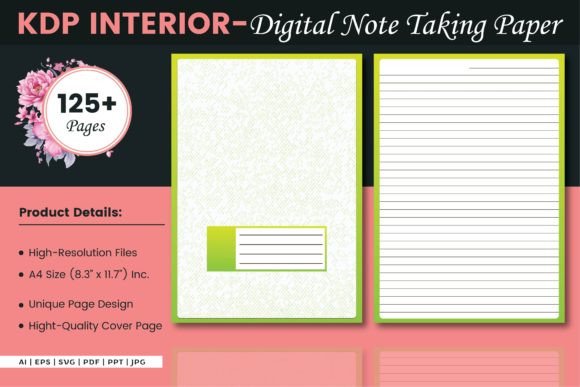
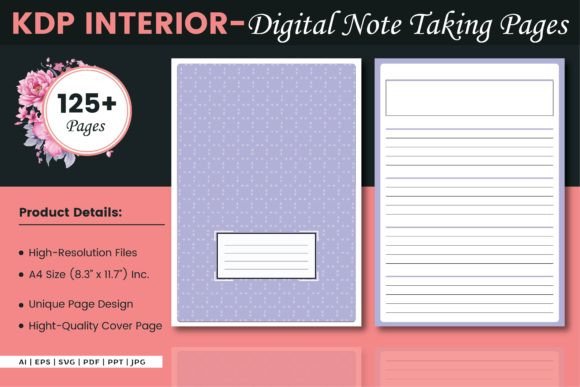
The dimensions themselves carry practical weight. The A4 size at 8.3 by 11.7 inches without bleed represents a deliberate choice aligned with international paper standards, fitting neatly into binders, folios, and most home printers. This seemingly minor specification determines how the page interacts with real-world equipment, from three-hole punches to scanner trays. When a template is designed to these exact proportions, the transition from screen to physical page and back again becomes seamless, preserving margins and alignment precisely as intended.
Who Benefits From Structured Note Frameworks, and Why
The audience for digital note taking paper spans far wider than initial assumptions might suggest. Academics and students form one obvious group, using templates to separate lecture summaries from reading notes and revision prompts. But look closer at the professional landscape and other patterns emerge. Therapists and coaches use structured note formats to track session themes and client progress over time. Architects and designers sketch preliminary concepts on dotted grids that provide subtle geometric guidance without dominating the drawing. Medical professionals rely on template layouts that standardize patient observations while leaving room for the narrative nuance that structured forms alone cannot capture.
Hobbyists represent an equally vibrant user base. Bullet journal enthusiasts download and print customized spreads, combining habit trackers with weekly planning layouts in configurations that mass-produced planners never offer. Writers and world-builders create character sheets and plot grids, populating them by hand before digitizing the results for archival storage. The common thread across these diverse scenarios is the desire for controlled flexibility — enough structure to prevent chaos, enough openness to accommodate the unexpected insight that arrives mid-sentence.
Small business owners and entrepreneurs find particular value in the editable source formats. An Illustrator or EPS file can be adapted to incorporate company branding, specific terminology, or workflow steps unique to a niche industry. A real estate agent might modify a client meeting template to include property comparison fields; a yoga studio owner could design class planning sheets with pose sequences and theme notes. This adaptability transforms a generic template into a proprietary tool, deeply integrated with how a specific enterprise actually operates.
Vector Source Files and the Hidden Power of Editability
The inclusion of editable source formats — specifically AI, EPS, and SVG files — represents more than a convenience feature. It speaks to a philosophy of ownership. When a user purchases or downloads digital note taking paper templates that include vector source files, they gain the ability to modify line weights, adjust spacing, recolor elements, and combine layouts in ways the original designer never anticipated. This matters for long-term usability. A template that cannot evolve with its user's needs eventually gets abandoned; one that can be tweaked incrementally remains relevant for years.
From a practical standpoint, vector formats scale infinitely without quality loss. A single template file can generate crisp prints at A4, letter size, or even A5 booklet dimensions with simple adjustments in compatible software. The SVG format in particular bridges the gap between print and web, allowing the same design language to appear in digital planning apps, Notion embeds, or custom web-based tools. For teams collaborating across locations, sharing an editable source file means everyone works from the same foundational structure while personalizing details locally.
The PPT format inclusion deserves specific attention. Many professionals live inside presentation software for daily operations. Having note taking templates natively available in PowerPoint means meeting notes can exist alongside slide decks in the same ecosystem, streamlining file management and reducing context-switching. A consultant preparing for a client workshop can design slides and discussion note templates in the same application, then distribute both as a cohesive package. The alternative — bouncing between design software, PDF viewers, and presentation tools — adds friction that editable multi-format availability elegantly removes.
Print-Ready PDFs and the KDP Connection
The Amazon Kindle Direct Publishing ecosystem has quietly transformed how independent creators distribute paper-based products. Templates designed for KDP upload operate under specific technical requirements — proper margins, no bleed considerations, consistent page counts, and resolution standards that ensure professional print quality. When a digital note taking paper interior is described as ready for KDP upload, it signals compliance with these specifications, removing technical barriers that often frustrate first-time publishers.
High-resolution interiors ensure that fine lines and subtle dot grids reproduce with precision rather than appearing jagged or faded. This technical detail has direct experiential consequences. A user writing on a printed page from a low-resolution source may notice fuzzy guidelines that create subtle visual fatigue over extended writing sessions. The crispness of properly prepared interiors, by contrast, recedes from conscious awareness, letting the content take center stage — exactly where attention should reside.
The 125-page count common across these template collections balances comprehensiveness with practical binding constraints. Too few pages and the notebook feels insubstantial; too many and the spine struggles to lay flat, creating an awkward writing surface near the gutter. The specific page count represents an informed choice about usability, reflecting experience with how people actually interact with bound paper products during sustained note taking sessions.
Practical Workflows That Merge Analog and Digital Realities
Understanding digital note taking paper requires examining it in motion, not as a static product description. Imagine a typical week. Monday morning starts with a team meeting where a project coordinator fills a structured agenda template by hand, capturing action items in a dedicated column. After the meeting, the filled page is scanned using a smartphone app with OCR capabilities, converting handwritten notes into searchable text archived in a cloud folder. By afternoon, action items have been extracted and assigned in a task management tool, all originating from that single handwritten page.
A different workflow emerges in academic settings. A doctoral candidate reads dense journal articles, annotating on printed template pages designed with wide margins for commentary and a reference section at the bottom. These annotated pages accumulate in a binder organized by research theme. When writing begins, the physical pages spread across a desk create a spatial map of ideas that no digital tool has fully replicated — yet each page also exists as a scanned backup, searchable and taggable, preventing the catastrophe of a lost notebook.
Creative professionals often cycle between media fluidly. A graphic designer sketches logo concepts on dot grid templates, refines selected directions digitally, then prints variants on the same template type to evaluate proportions by hand before finalizing vectors. The template becomes a constant reference surface, a visual anchor across iterations that might otherwise drift from the original constraints.
Choosing Templates That Match Cognitive Style
Not all structured paper suits all minds equally. Some individuals thrive with highly segmented layouts featuring multiple boxes, columns, and predefined labels. Others feel constrained by excessive structure and perform better with minimal guides — perhaps a simple dot grid or light ruling that suggests order without enforcing it. The availability of diverse format types within a single template collection allows for experimentation without committing to a single approach prematurely.
Consider the difference between a traditional lined page and a Cornell notes layout. The former provides a neutral backdrop adaptable to any note-taking style but offers no built-in retrieval cues. The latter creates distinct zones for cues, notes, and summaries, effectively training the user to engage in immediate review and synthesis — a practice shown to improve retention significantly. Neither format is universally superior; the right choice depends on whether the user values adaptability or structured review processes more highly.
Grid and dot grid formats occupy a middle ground, particularly useful for visual thinkers who combine text with sketches, diagrams, and spatial arrangements. Engineers sketching circuit layouts, mathematicians working through proofs, and designers mapping user flows all benefit from the subtle geometric reference that guides alignment without competing visually with content. The dot variant in particular achieves this with remarkable subtlety, the points nearly disappearing from awareness during use while still providing vertical and horizontal registration when needed.
Long-Term Considerations for Digital Note Archives
As collections of completed note pages grow, organizational challenges multiply. Physical binders require labeling systems and storage space; digital scans demand consistent naming conventions and folder structures. The most effective implementations of digital note taking paper account for this lifecycle from the start. Templates that include date fields, topic labels, and page-numbering areas build metadata directly into the handwritten record, simplifying later retrieval regardless of whether the archive is physical or digital.
The editable nature of source files supports evolving organizational schemes. A user who initially adopted a simple dated journal format might later add category checkboxes or priority indicators to the template, then reprint updated versions. Older pages remain consistent with their original design while newer entries reflect current needs, creating a natural evolution visible in the physical record itself — a kind of metadata about the user's changing thinking patterns over time.
Cross-compatibility across software ecosystems extends the useful lifespan of these resources. An EPS file created today can be opened and edited years later across multiple operating systems and application versions. PDF remains a universally accessible format unlikely to face obsolescence. These durability characteristics matter for anyone building a long-term note system rather than seeking a disposable productivity novelty.
Observing Patterns Across Different User Communities
Distinct patterns emerge when observing how various communities adopt and adapt structured note templates. Educators often gravitate toward formats that include assessment criteria or observation fields, using the same template type across multiple students to enable comparative analysis. Legal professionals favor formats with distinct sections for case references, client notes, and action deadlines, the spatial separation reducing the risk of conflating information categories. Health and wellness coaches commonly customize templates to include both quantitative tracking fields and qualitative reflection spaces, acknowledging that numerical data alone tells an incomplete story.
These domain-specific adaptations highlight the versatility inherent in well-designed source files. The original designer cannot anticipate every use case, but by providing editable formats, they enable users to become co-designers. A template that ships as a generic meeting notes layout might, after user customization, serve as a specialized tool for UX research debriefs, complete with fields for participant quotes, behavior observations, and design implications — a transformation driven entirely by the user's domain knowledge layered onto a flexible foundation.
The quiet thread connecting all these scenarios is intentionality. Using digital note taking paper templates represents a deliberate choice about how to engage with information, a small ritual that signals to the brain that focused thinking is about to occur. In an era of constant notifications and infinite scrolling, this ritualistic quality may prove more valuable than any specific layout feature. The template becomes a gateway to sustained attention, its familiar structure a cognitive cue that prepares the mind for depth over distraction.